Hoy, el editor te mostrará cómo integrar Octoparse con MoMo Proxy paso a paso.
Octoparse stands out as a powerful web scraping tool, combining a user-friendly interface with robust functionality. Its intuitive point-and-click operation allows users to easily extract data from even the most complex websites without requiring coding expertise. Offering features like pre-built templates, cloud extraction, API integration, and scheduled scraping for automation, Octoparse caters to a wide range of data extraction needs. The tool also provides responsive customer support and extensive online resources, ensuring a seamless user experience. With competitive pricing and flexible plans for both beginners and advanced users, Octoparse's versatility and cost-effectiveness make it a preferred solution for businesses seeking efficient and reliable web scraping tools.
Today editor will share you how to integrate octoparse with MoMoProxy in detailed steps.


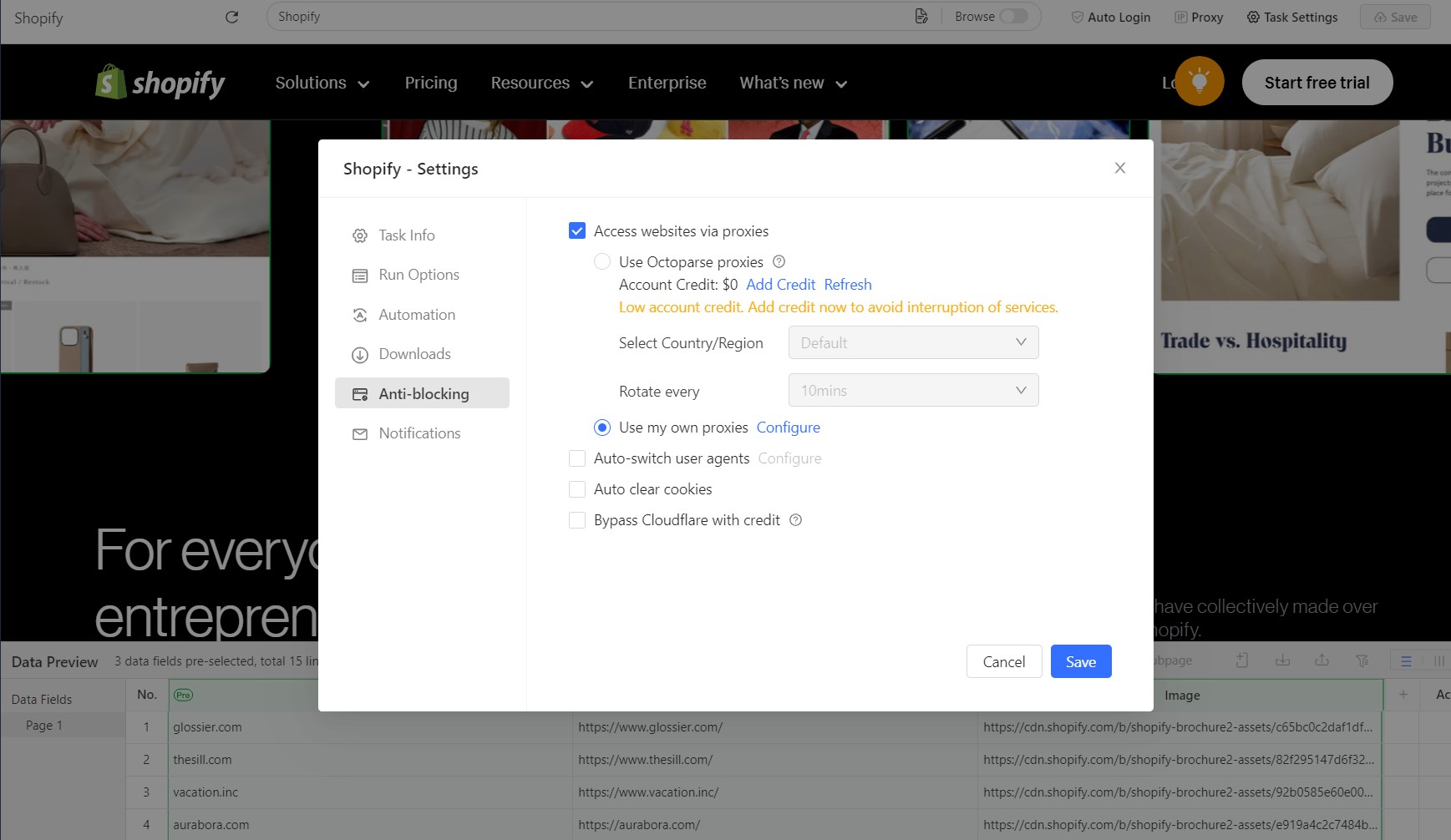

Go to [anti-blocking] -> [access website via proxies]->[use my own proxies]-> [configure], we can get a right proxy settings for anti-blocking when running scraping process.


 For sticky residential proxies, if we set [Number of agents] more than 1, after click [generate], will appear more than 1 different proxy code in the list.
After do as above detailed steps, we can use proxy with octoparse easily after get right scraping setting.


