In the layered ecosystem of network infrastructure, proxies serve as the silent gatekeepers of data flow. While most professionals are familiar with HTTP/HTTPS proxies operating over TCP, the UDP proxy remains an underappreciated yet critical component for high-performance applications. Understanding its mechanics—from UDP port management to the fundamental distinctions of UDP IP vs TCP IP—is essential for architects, developers, and businesses that demand speed, anonymity, and reliability.
To fully appreciate the role of a UDP proxy, we must first establish a precise understanding of what a UDP port is. In the TCP/IP networking model, a port is a 16-bit numerical identifier embedded within the transport layer header. UDP ports serve the same addressing function as TCP ports but operate within the stateless context of the User Datagram Protocol.
Key characteristics of UDP ports:
Connectionless operation: Unlike TCP ports, which maintain an established connection until explicitly terminated, UDP ports simply listen for incoming datagrams. Each packet is processed independently.
No built-in reliability: When an application sends data to a specific UDP port, there is no acknowledgment mechanism. The sender never knows whether the packet arrived unless the application layer implements its own confirmation logic.
Broadcast and multicast support: UDP ports can receive traffic destined for multiple recipients simultaneously—a feature impossible with TCP. This makes them indispensable for services like DHCP (UDP port 67/68) and streaming media distribution.
Common UDP port assignments:
Port
Service
Purpose
53
DNS
Domain name resolution
67/68
DHCP
IP address assignment
123
NTP
Network time synchronization
500
IPSec/IKE
VPN key exchange
1194
OpenVPN
VPN tunnel transport
5060
SIP
VoIP signaling
27015-27030
Steam/Game Servers
Online gaming traffic
Understanding what UDP port is not merely academic—it directly impacts how proxy administrators configure firewall rules, load balancers, and routing policies. Every UDP-based application binds to specific ports, and a UDP proxy must be capable of handling traffic across this diverse port spectrum.
UDP IP vs TCP IP: A Comprehensive Comparison
The debate of UDP IP vs TCP IP extends far beyond simple "reliable vs. unreliable" characterizations. These protocols represent fundamentally different philosophies of data transmission.
Deep comparison table:
Feature
TCP IP
UDP IP
Connection establishment
Three-way handshake (SYN, SYN-ACK, ACK)
No handshake; immediate transmission
Header size
20-60 bytes
8 bytes
Flow control
Window-based sliding window
None
Congestion control
Algorithms like Cubic, BBR
None (application must implement)
Error recovery
Automatic retransmission
None
Packet ordering
Guaranteed sequential delivery
No guarantee
Overhead
High
Low
Ideal use cases
Web, email, file transfer, databases
VoIP, gaming, streaming, DNS, VPN
Why latency differs so dramatically:
TCP's reliability mechanisms introduce variable latency. When a packet is lost, TCP pauses subsequent data transmission until the missing segment is retransmitted and acknowledged—a phenomenon known as "head-of-line blocking." UDP suffers no such penalty. In real-time applications, a single lost UDP packet results in a momentary glitch (e.g., a dropped video frame or a split-second audio gap) rather than a prolonged stall.
UDP IP vs TCP IP in modern architectures:
With the rise of HTTP/3 and QUIC (Quick UDP Internet Connections), the line is blurring. QUIC, developed by Google, implements TCP-like reliability and encryption over UDP, combining the speed of UDP with the reliability of TCP. This evolution underscores the growing recognition that UDP's foundation—with its minimal overhead and flexible UDP port handling—is the future of low-latency internet communication.
Part 2: UDP Proxy Architecture
What Is a UDP Proxy and How Does It Operate?
A UDP proxy is a specialized network intermediary designed to forward User Datagram Protocol traffic between clients and servers. Unlike HTTP proxies that operate at the application layer, UDP proxies function at the transport layer, handling raw datagrams.
Core operational mechanics:
Packet interception: The client is configured to send UDP traffic to the proxy's IP address and designated UDP port rather than directly to the target server.
Session tracking: Because UDP is stateless, the proxy must maintain a session table. Each unique tuple—(source IP, source UDP port, destination IP, destination UDP port, protocol)—is mapped to an upstream connection. This is often called "UDP hole punching" or "flow tracking."
Packet transformation: The proxy may modify packet headers, encapsulate UDP within TCP (for traversing restrictive firewalls), or apply encryption. Common encapsulation protocols include:
UDP over TCP: Used when only TCP outbound is allowed
UDP over UDP: Standard forwarding
UDP over DTLS: Datagram Transport Layer Security for encryption
UDP over WireGuard/OpenVPN: VPN-based forwarding
Forwarding and response handling: When a response returns from the target server, the proxy consults its session table to determine which original client should receive the packet, then forwards it accordingly.
Distributes UDP traffic across multiple backend servers
High-availability DNS, gaming server clusters
Residential UDP Proxy
Routes UDP traffic through ISP-assigned residential IPs
Ad verification, streaming, social media automation
UDP Port Management in Proxy Environments
Effective UDP port management distinguishes a well-architected proxy from a poorly performing one. When operating at scale, UDP proxies must handle thousands—or millions—of simultaneous flows.
Key challenges:
Port exhaustion: Each unique UDP flow consumes a mapping entry. Proxies must implement efficient garbage collection for idle sessions.
NAT traversal: When a proxy sits behind Network Address Translation, preserving source ports and handling symmetric NAT behaviors becomes complex.
Firewall compatibility: Many enterprise firewalls drop UDP traffic after short idle timeouts. Proxies must implement keepalive mechanisms.
Best practices for UDP port handling in proxies:
Implement time-to-live (TTL) settings that align with application requirements (e.g., 30 seconds for DNS, 5 minutes for gaming)
Use consistent source port preservation when required by upstream services
Leverage connection tracking technologies like Linux's conntrack or netfilter for stateful UDP handling
Part 3: Practical Applications and Use Cases
1. Online Gaming
Modern multiplayer games—from Fortnite and Call of Duty to League of Legends—rely almost exclusively on UDP for gameplay traffic. Game servers send player position, actions, and hit registration via UDP to minimize lag.
Why gaming requires UDP proxy:
Geo-restrictions: Players may need to appear in a different region to access game servers or stores
DDoS protection: Proxies can absorb and filter malicious traffic before it reaches the player's home connection
ISP throttling: Some ISPs prioritize or deprioritize gaming traffic; proxies circumvent these policies
Technical requirement: Gaming UDP proxies must support a wide range of UDP ports (often 10,000+) and maintain sub-10ms additional latency to remain viable.
2. Voice over IP and Video Conferencing
Platforms like Zoom, Microsoft Teams, and WebRTC-based applications use UDP for media transport. SIP signaling often uses UDP port 5060, while RTP (Real-time Transport Protocol) media streams use dynamically allocated high UDP ports.
Proxy benefits for VoIP:
Bypass firewall restrictions in corporate environments
Maintain consistent call quality across unstable networks
Anonymize the true IP address of participants
3. DNS Over Proxy
DNS is foundational to internet operations, and DNS queries typically travel over UDP port 53. Proxy solutions are used to:
Encrypt DNS traffic (DNS over HTTPS or DNS over TLS requires conversion)
Bypass geographic DNS-based content restrictions
Prevent DNS leaks in VPN configurations
4. Web Scraping and Ad Verification
Modern web scraping increasingly requires handling UDP traffic, particularly for:
WebRTC fingerprinting detection (which uses UDP)
Real-time bidding (RTB) ad traffic
Streaming media monitoring
Residential UDP proxies are particularly valuable here because they present legitimate consumer IP addresses that ad exchanges and streaming platforms trust.
5. VPN and Tunneling Protocols
OpenVPN, WireGuard, and IKEv2/IPSec all utilize UDP as their preferred transport. A UDP proxy can serve as a VPN gateway aggregator, allowing organizations to route VPN traffic through static residential IPs for enhanced anonymity.
Part 4: Security, Anonymity, and Reliability Considerations
The Anonymity Advantage of Residential UDP Proxies
When evaluating UDP IP vs TCP IP for anonymity, the protocol choice affects fingerprinting. UDP proxies, especially those using residential IPs, offer distinct advantages:
Reduced footprint: UDP headers contain minimal identifying information compared to TCP, which exposes sequence numbers, window sizes, and often includes application-layer fingerprints.
ISP authenticity: Residential IPs are indistinguishable from ordinary consumer traffic, making them highly resistant to blocking.
Static IP consistency: For accounts requiring persistent sessions—such as social media management or e-commerce monitoring—static residential IPs paired with UDP transport maintain session integrity without the session resets common to TCP.
Security Risks and Mitigations
UDP proxies introduce specific security considerations:
Risk
Description
Mitigation
Amplification attacks
Attackers can spoof source IPs to reflect traffic
Implement rate limiting and source IP validation
UDP flood
Volumetric DDoS attacks targeting open UDP ports
Deploy upstream DDoS protection; use anycast routing
Session hijacking
Stateless nature makes spoofing easier
Implement DTLS encryption between client and proxy
Port scanning
Open UDP ports can be enumerated
Use port knocking or authentication before forwarding
Part 5: Enterprise-Grade UDP Proxy Solutions
Why Static Residential Proxies Matter for UDP
The proxy market offers various IP types—datacenter, mobile, and residential. For UDP applications requiring stability and trust, static residential proxies represent the premium tier.
Comparative analysis:
Proxy Type
UDP Support
Stability
Block Rate
Use Case
Datacenter
Limited
High
High
Non-critical applications
Rotating Residential
Variable
Low (IP changes)
Low
Short-term tasks
Static Residential
Full
High
Very Low
Long-term sessions, account management, streaming
Static residential proxies maintain the same IP address over extended periods. This is critical for UDP applications because:
UDP flows are often tied to IP sessions
Many services (gaming servers, VoIP providers) flag frequent IP changes as suspicious
Long-running UDP streams (video calls, game sessions) cannot tolerate mid-session IP changes
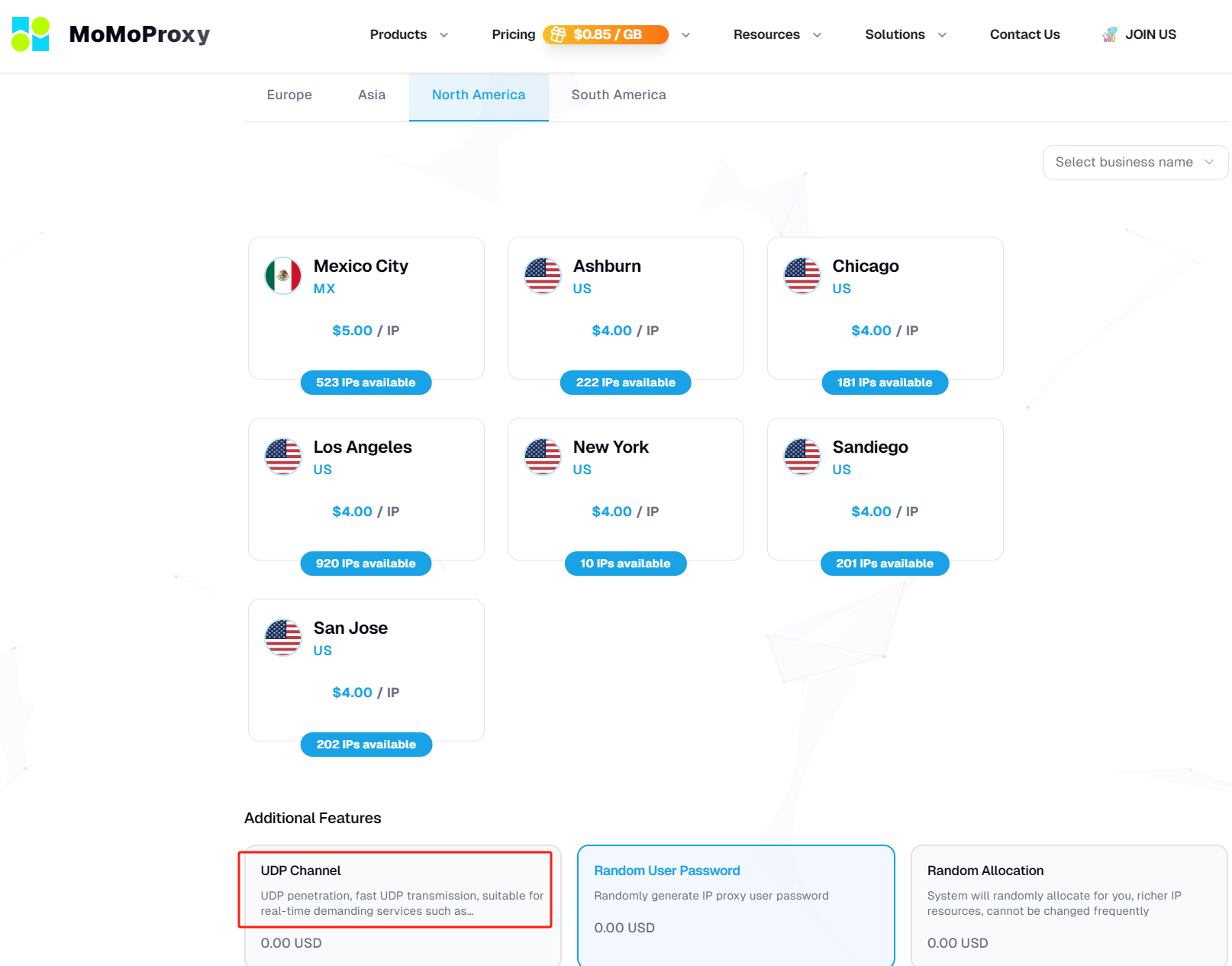
MoMo Static Residential Proxies Supports UDP Port
For enterprises and advanced users seeking a robust solution, MoMo Static Residential Proxies supports UDP port across its entire infrastructure.
This capability enables:
Full UDP protocol compatibility: All UDP traffic types—from DNS to WebRTC to custom gaming protocols—route seamlessly.
Static residential IP pool: Each client receives a genuine ISP-assigned IP that remains consistent, ensuring session persistence for UDP-based applications.
High concurrency: MoMo's proxy infrastructure is engineered to handle thousands of simultaneous UDP flows without port exhaustion or performance degradation.
Global geographic distribution: UDP ports are available across multiple countries, enabling region-specific operations for ad verification, content access, and market research.
Technical implementation: MoMo achieves UDP support through optimized SOCKS5 infrastructure with UDP ASSOCIATE capability, combined with proprietary session tracking that maintains performance even under heavy load. This architecture ensures that the fundamental question of UDP IP vs TCP IP becomes irrelevant—users get the speed of UDP combined with the reliability and legitimacy of static residential infrastructure.
Part 6: Configuration and Optimization Guide
Setting Up a UDP Proxy Connection
For most applications, UDP proxy configuration follows this general pattern:
Obtain proxy credentials: Ensure the provider explicitly supports UDP (many low-cost providers do not).
Configure SOCKS5 with UDP support: In applications that support it (e.g., gaming clients, custom scripts), specify:
Proxy type: SOCKS5
Host: [proxy IP or hostname]
Port: [typically 1080 or provider-specific]
Enable UDP association
For applications without native UDP proxy support: Use a local tunneling tool like
Copy
1socat
,
Copy
1redsocks
, or a VPN client that can route UDP through the proxy.
Example using socat for UDP forwarding:
bash Copy
1# Forward UDP traffic from local port 5300to a remote DNS server via SOCKS5 proxy2socat UDP-LISTEN:5300,fork SOCKS5:proxy-host:53,socksport=10803
Performance Optimization Tips
MTU considerations: UDP proxies should use appropriate Maximum Transmission Unit settings. For residential proxies, setting MTU to 1400 bytes avoids fragmentation across most network paths.
Idle timeout alignment: Match proxy session timeouts to application keepalive intervals. VoIP applications typically send keepalives every 30 seconds; proxy timeouts should exceed this.
Latency benchmarking: Test UDP proxy performance using tools like iperf3 with UDP mode to measure jitter, packet loss, and throughput before production deployment.
Conclusion
The UDP proxy ecosystem represents a sophisticated intersection of network engineering, application requirements, and operational security. As real-time applications continue to dominate internet traffic—from immersive gaming to global video conferencing—the ability to route UDP traffic efficiently, anonymously, and reliably becomes increasingly critical.
Understanding the foundational elements—what is a UDP port, the nuanced tradeoffs in UDP IP vs TCP IP, and the architectural requirements of UDP proxying—empowers professionals to make informed infrastructure decisions.