IP Temporarily Blocked? Here's How to Fix It
The message "Your IP has been temporarily blocked" is more than just an inconvenience; it's a window into the ongoing, invisible war between website security and automated threats. While frustrating, this block is a crucial defense mechanism. Let's peel back the layers to understand the sophisticated "why" behind the message and explore a comprehensive playbook for resolution and prevention.

At its core, an IP block is an automated decision made by a website's security infrastructure. Your IP address, the unique numerical label assigned to your network, has been flagged by one of several gatekeepers.
The Key Points in IP Blocking Chain:
Think of a WAF as a smart, hyper-vigilant security guard standing in front of a website. It doesn't just check for IDs; it analyzes the behavior of every visitor. It uses complex rulesets to identify patterns associated with attacks, such as SQL injection, cross-site scripting (XSS), or suspicious payloads in form data.
- Deep Dive Example: A WAF might see your browser submitting a login form with the username field containing a string like ' OR 1=1--, a classic SQL injection attempt. Even if you accidentally copied and pasted that text, the WAF will instantly block your IP to protect the database.
This is the "bouncer" that prevents any single user from overwhelming the club. It sets thresholds for how many requests can be made from a single IP address within a specific timeframe (e.g., 100 requests per minute). This is critical for preventing Denial-of-Service (DoS) attacks and stopping content-scraping bots from stealing a site's data.
Deep Dive Example: You might be using a browser extension that auto-refreshes a product page every 5 seconds to check for stock, or you might be rapidly scrolling through an infinite-scroll social media feed. Both actions generate a high volume of requests in a short time, mimicking bot behavior and triggering the rate limiter.
These systems monitor network traffic for known malicious signatures and behavioral anomalies. If your IP is on a real-time blacklist (e.g., for being part of a botnet), an IPS can proactively block it before it even interacts with the main website.
While security and rate limiting are the main culprits, the reasons for a block are varied:
This is a major cause for users on large networks. If you're on:
-
Corporate or University Networks: A single user downloading torrents or probing systems can get the entire company's or campus's IP range blacklisted.
-
Public Wi-Fi (Airports, Coffee Shops): Another user on the same network could have been engaged in spammy or malicious activity hours before you arrived.
-
Mobile Data (4G/5G): Mobile carriers often use Carrier-Grade NAT (CGNAT), meaning thousands of customers share a pool of public IP addresses. The actions of a stranger on the same carrier can affect you.
This is a deliberate, policy-driven block. Your IP address is checked against a geolocation database. This is used for:
-
Content Licensing: Streaming services like Netflix and Hulu have region-specific catalogs.
-
Legal and Compliance Reasons: Gambling sites or financial services may be restricted to licensed jurisdictions.
-
Economic Sanctions: Companies may block entire countries to comply with international trade laws.
Certain ad-blockers, privacy badgers, VPN extensions, or even accessibility tools can modify your traffic in ways that appear suspicious to a WAF. They might strip out essential headers or make requests that don't look like a standard browser.
If your computer is infected with malware that turns it into part of a botnet, it could be used as a "residential proxy" by others. This means a hacker in another country could be routing their malicious traffic through your IP address without your knowledge.
If waiting and restarting your router doesn't work, it's time to escalate.
-
Use a Different Device: Try accessing the site from your phone using the same Wi-Fi. If it works, the issue is likely isolated to your primary computer (pointing to malware or a misbehaving application).
-
Use a Different Network: Disconnect from Wi-Fi and use your mobile data. If the site loads, the block is definitively on your home IP address.
-
Incognito/Private Mode: Open the site in an Incognito window. This disables most extensions. If it works, one of your extensions is the culprit. Re-enable them one by one to identify the problematic one.
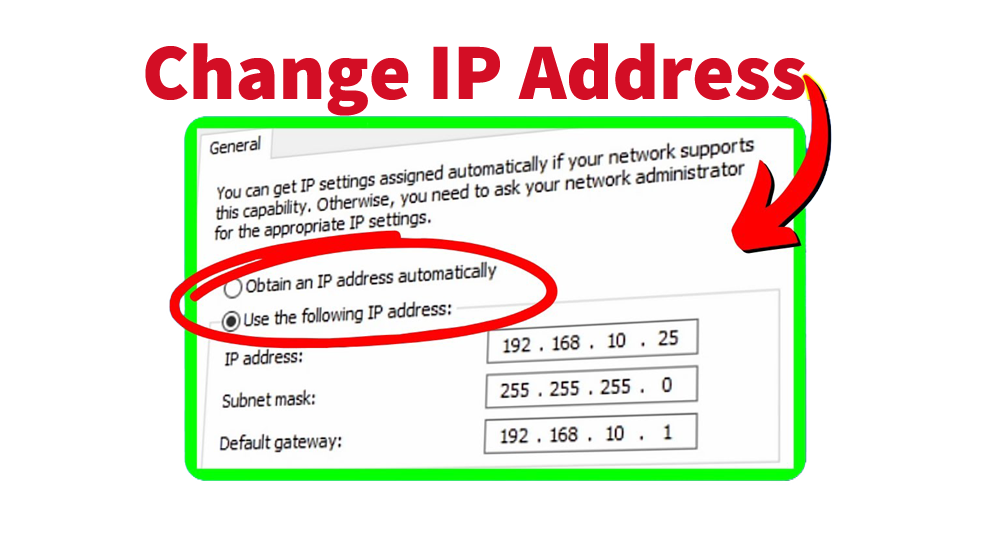
A simple reboot may not be enough. To force a new IP address, you need to log into your router's admin panel (often 192.168.1.1 or 192.168.0.1). Look for a setting called "Release" or "Renew" DHCP lease. After releasing, power off the router for a longer period (10-30 minutes). This increases the chance your ISP will assign you a fresh IP from its pool upon reconnection. Note: This is not guaranteed and is impossible if your ISP provides a static IP.
-
VPNs: A quality VPN is the most effective way to bypass an IP block. However, it's an arms race. Many large sites (like streaming services and banks) maintain their own blacklists of known VPN server IPs. You may need to try several servers or providers.
-
Proxy Servers: You can configure your browser to use a proxy, such as MoMoProxy, but free proxies are often slow, unreliable, and already blacklisted themselves.
Get 1GB Free Trial of Residential Proxies From MoMoProxy Now!
-
Find the Right Contact: Look for abuse@[website.com], support@[website.com], or security@[website.com]. Check the website's whois record.
-
Craft an Effective Email:
-
- Subject: Unblock IP Address: [Your IP Address] (You can find your IP by Googling "what is my ip").
-
- Body: Be polite and concise. State the error message you received, your IP address, the approximate time it happened, and what you were trying to do. Reassure them you are a legitimate user. Example: "Hello, my IP address [X.X.X.X] was temporarily blocked at approximately 2:15 PM EST while I was attempting to log into my account. I believe this may have been triggered by rapid refreshing on my end. I am a genuine user and would appreciate it if you could review and lift the block. Thank you."
-
Practice "Good Internet Hygiene": Use a reputable antivirus/anti-malware suite and perform regular scans.
-
Audit Your Browser Extensions: Less is more. Remove any extensions you don't actively use and trust.
-
Use a Password Manager: This eliminates failed login attempts due to forgotten passwords.
-
Consider a Static IP: For advanced users or small businesses that are consistently blocked due to shared IP issues, paying your ISP for a static IP address can be a solution, as you are no longer tied to the reputation of a dynamic pool.
The "IP temporarily blocked" message is a sophisticated, if blunt, instrument in the toolkit of modern web security. It signifies a system working as designed to protect digital assets from a constant barrage of automated threats. By understanding the complex triggers and having a structured response plan, you can transform this frustrating roadblock from a panic-inducing event into a manageable, and often solvable, technical hiccup.